Because this is local-first, emails cannot be sent without configuring SMTP. If you want to do that go ahead but there are easier alternatives.
Here are TWO password reset methods you can use:
Option A - Reset via Django Admin (Recommended)
If you still have access to the default account:
Log in as demo@example.com
Visit http://127.0.0.1:8000/admin
Go down to → Users
Click on your user account email and that opens up a form.
Go to the Password box - if it contains any information it is just encrypted code. Your password is jumbled to make sure no one can find out what it is - just remove all of that and add your new password.
Update your password by clicking on SAVE.
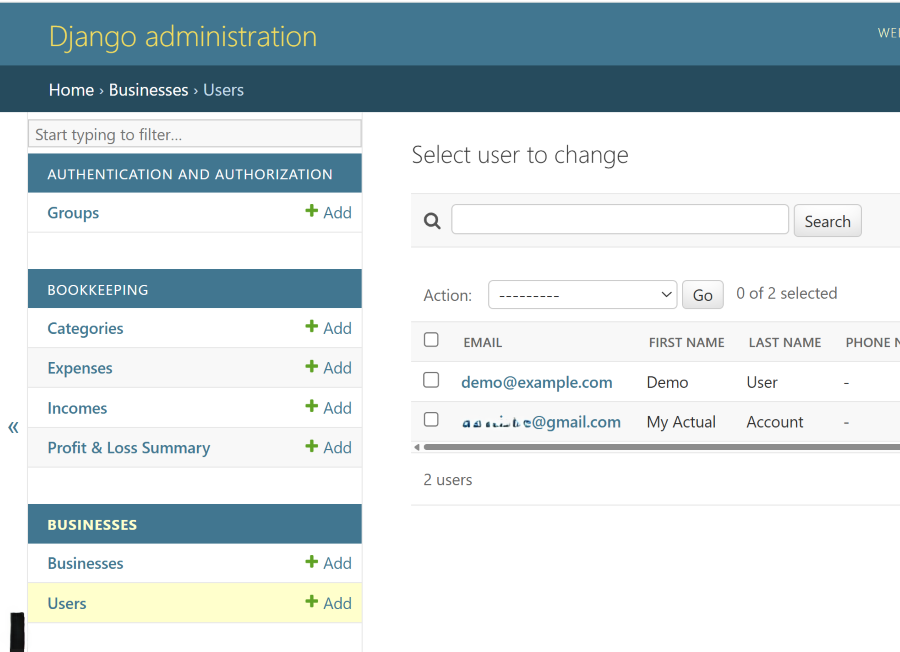
This is the primary recommend method
Option B — Reset from Terminal (Tech Happy People Only)
If you want to reset your password using your visual studio code VSC software or alternative that you use here is the command:
Provide this command:
Then:
NOTE: Make sure you change NEW_PASSWORD to the actual password that you want.
YUCKY OPTION...
Option C — Delete the database (last resort - NOT RECOMMENDED)
If everything else fails:
Delete the database: delete mtdify_starter.sqlite3
Run this to restart everything: python manage.py migrate
This resets the system completely. If you had ANY documents or information saved it will all be deleted. Remember that if you go for this option. It is here for info only because it is an option. It will be like you just bought MTDify and downloaded it. Completely new.
This resets the system completely and is here:
“If you are fully locked out and no user exists”
Option B is still a better choice than this one.